


Every California corporation, LLC and Non-profit corporation must file a statement of information within 90 days of its formation date.
After the initial filing, you must continue filing regularly:
- Corporations: every year
- LLCs: every other year
The filing fee for the Statement of Information is $25, which includes a certified copy for your records.
To file your Statement of Information, you must complete and submit Form SI-550 with the Secretary of State. For faster processing, you can file online at https://businessfilings.sos.ca.gov.
Failure to file your Statement of Information by the due date will result in a $250.00 penalty. (Sections 2204 and 2206; California Revenue and Taxation Code Section 19141).
Your business must be in “Active” or “Suspended/Forfeited” status with the California Secretary of State in order to file. If your corporation is FTB suspended or forfeited, you must resolve the issue with the California Franchise Tax Board.
What is a Statement of Information?
A Statement of Information is a public record. It is a required filing that provides details of the corporation, it’s owners, members, managers and registered agent. If you don’t file by the due date, your entity will receive penalties and fines.
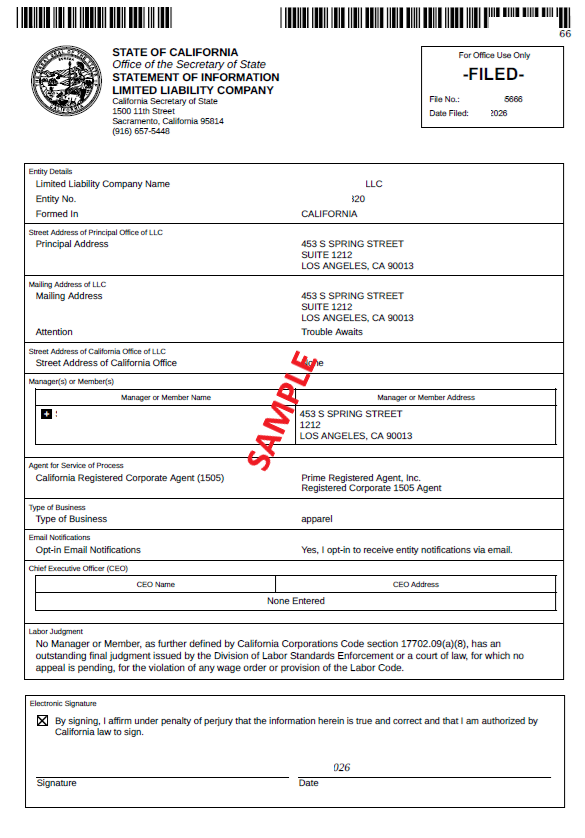
Step-by-Step: How to File Your Statement of Information
We have made this comprehensive blog post to help you understand, and file your Statement of Information without any errors. Use this guide to understand and navigate you through the whole process of filing your California Statement of Information.
Step 1: Log Into California BizFile Online
Once you login you can start by searching for your business entity name or by your SOS file number. Click on search and find your company name and click on it. Go to: https://businessfilings.sos.ca.gov.
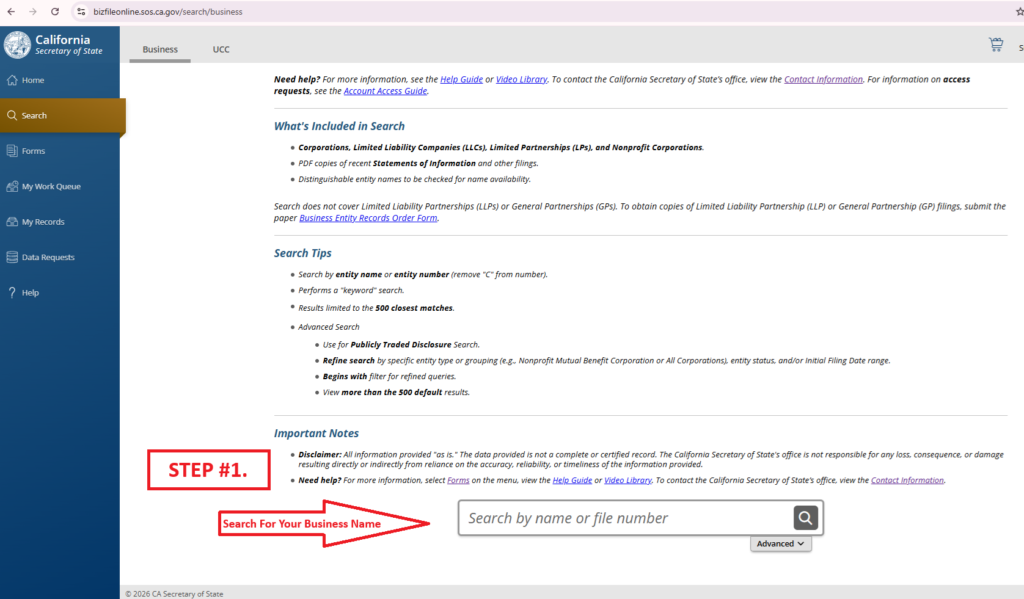
Step 2: Search Your California Business Entity
Once you search and fine your business entity, click on it and it will open a side window. Then click on File Statement of Information. This will take you to the next step.

Step 3: Select Statement of Information Filing
You will be directed to a section where it will ask you information regarding your business entity and director info.
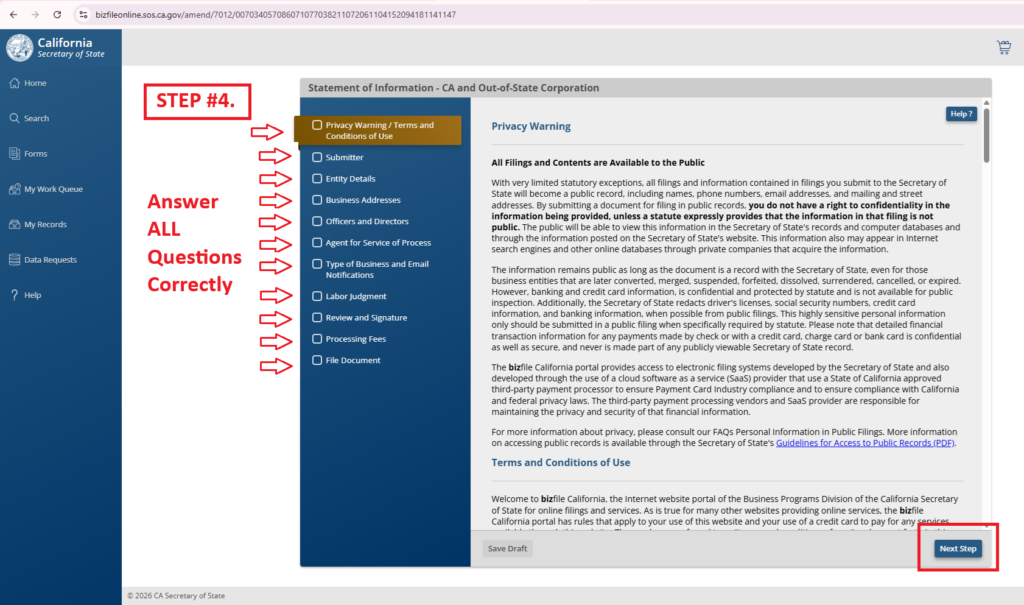
Step 4: Review and Submit Your Filing
After payment, you will be given a confirmation receipt and will receive your SOI instantly (If Approved).
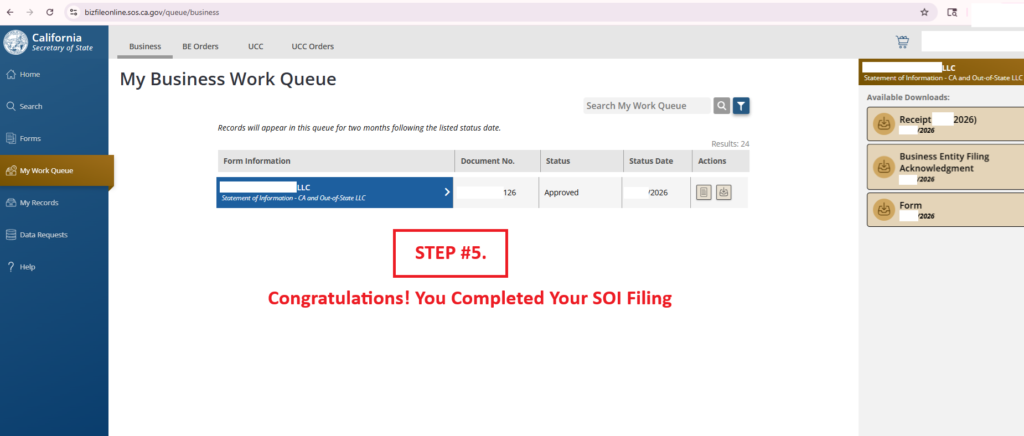
And that’s it. Very simple process and you can get in done in under 10 minutes.

Need help filing your Statement of Information?
We can file it for you for only $49.




Leave a Reply